
Everything on your scoreboard console, on air instantly
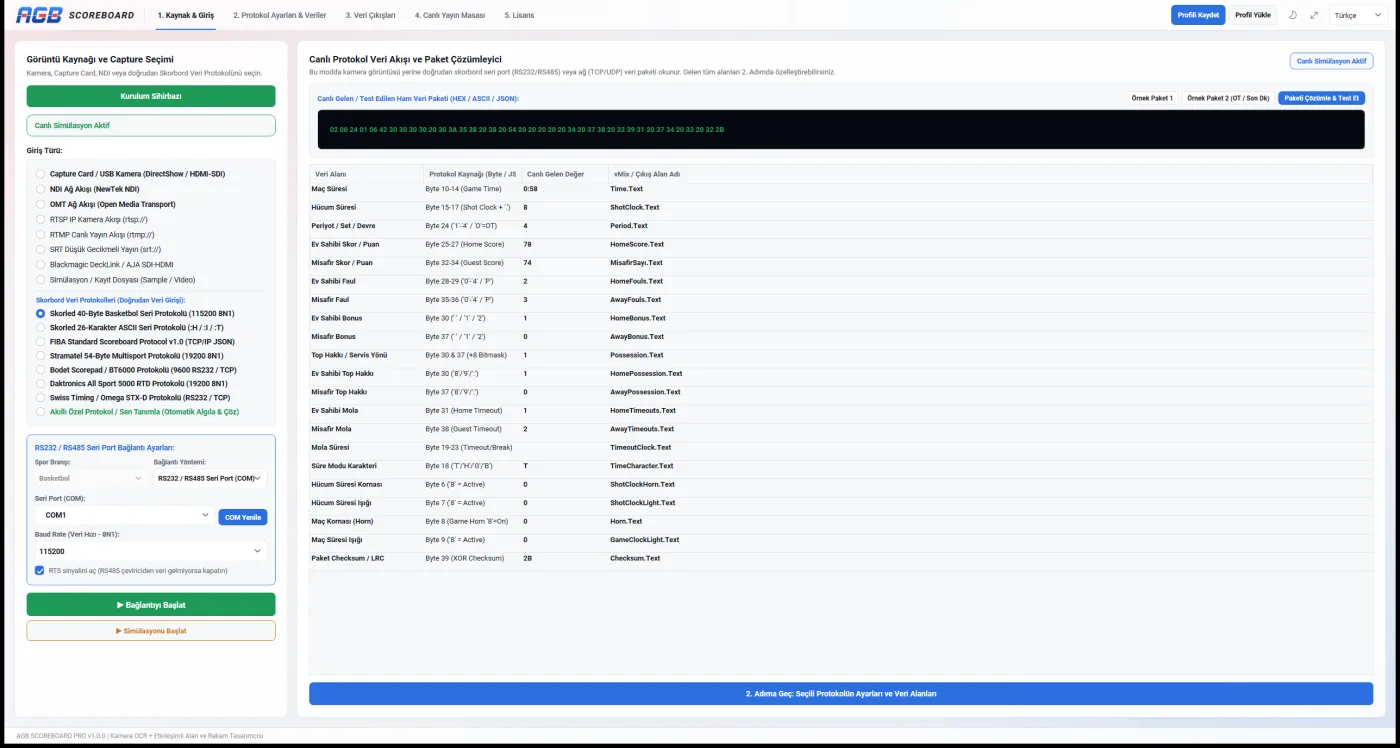
Score, clock, shot clock, fouls, timeouts, possession, horn… Whatever your console shows, the program reads and sends to your score graphic. No camera, no delay, no reading errors.
The fastest way
The data comes straight from the console; the moment the score changes, your graphic changes too.
20+ pieces of data
Besides score and clock: fouls, bonus, possession, timeouts, horns and lights.
Sets itself up
The wizard recognizes the console; you just check that it looks right.
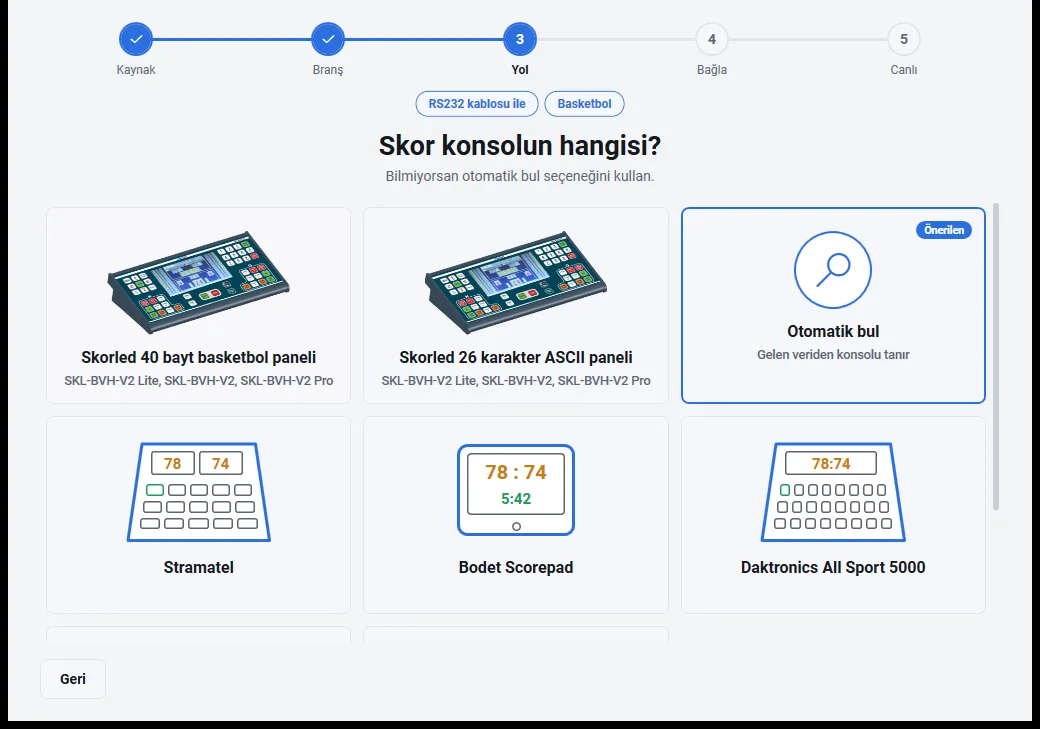
Skorled first, and the consoles you find in venues
Skorled SKL-BVH-V2 Lite, V2 and V2 Pro consoles are fully supported. Stramatel, Bodet Scorepad, Daktronics All Sport 5000, Swiss Timing / Omega and FIBA standard scoreboards are on the list too.
Not sure which console you have? “Find it automatically” looks at the incoming data and recognizes the console by itself.
- Skorled 40-byte and 26-character panels
- Stramatel, Bodet, Daktronics, Swiss Timing / Omega
- FIBA standard scoreboards (network)
- Not on the list: define it yourself
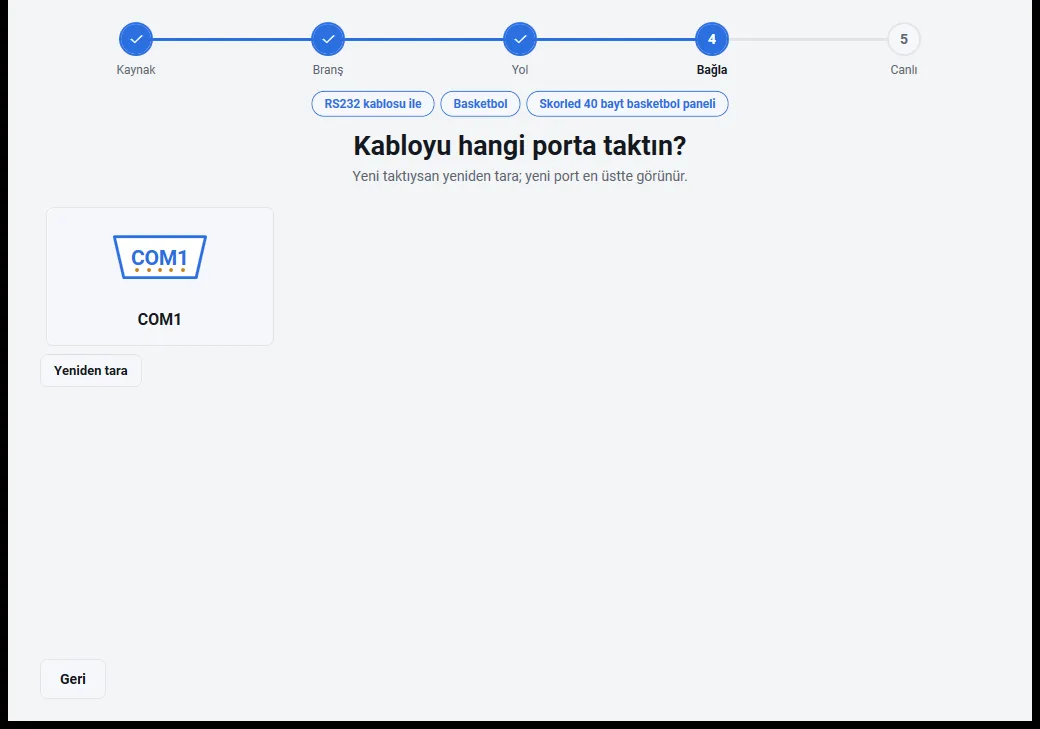
One cable is enough
Most consoles have an RS232 output. Plug the cable into your computer and pick the port in the wizard; speed and other settings are set for the console automatically.
No such port on your computer? A USB-to-RS232 or USB-to-RS485 adapter from any shop does the job. If the scoreboard is on the network, connect with a network cable instead.
- RS232 and RS485 serial ports
- Works with USB adapter cables
- Network: connect to the scoreboard, listen to it, or UDP
- A newly plugged port shows at the top of the list
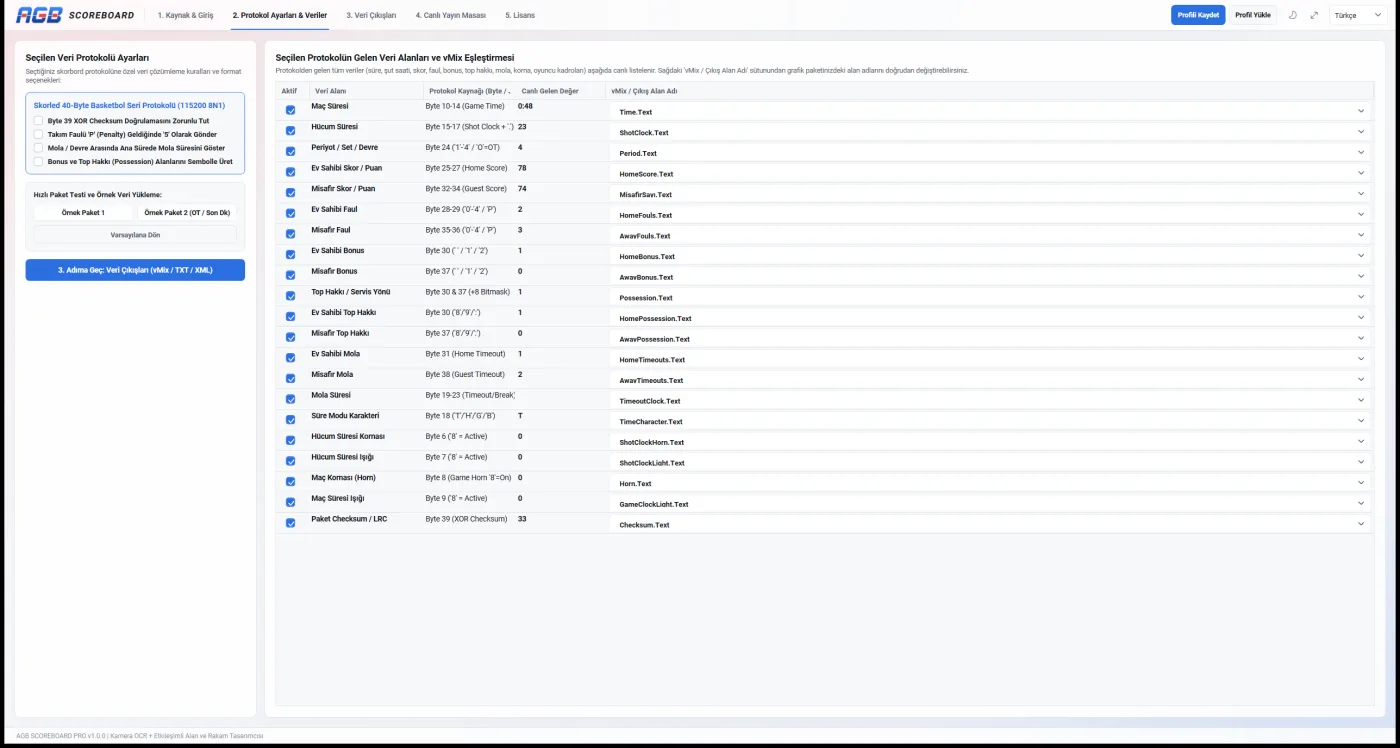
Everything the console shows, one by one
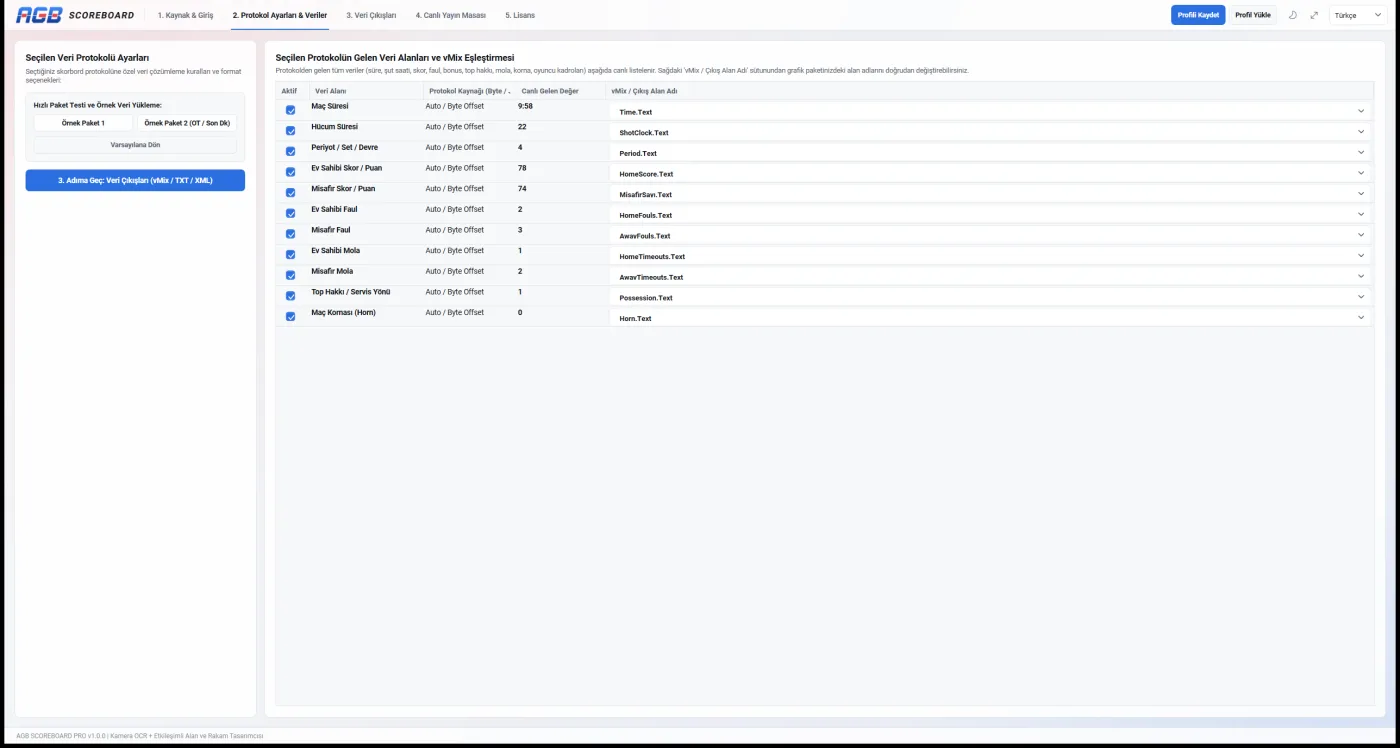
The program decodes every piece of data from the console separately and shows it live. You tick what goes on air and match it to the field names in your streaming software.
- Game clock, shot clock, period
- Home and guest score, fouls, bonus
- Possession, timeouts, timeout clock
- Game and shot clock horns, lights
Teach the program an unknown console
If your console is not on the list, start with “Not on the list”. Change the score on the console; the program sees what changed in the data and finds where the score and clock are by itself.
You can fix the fields it found and save them. A console you have taught opens by itself at the next games.
- Finds the score and clock by itself
- Understands numbers, text and separated formats
- Settings saved as a profile
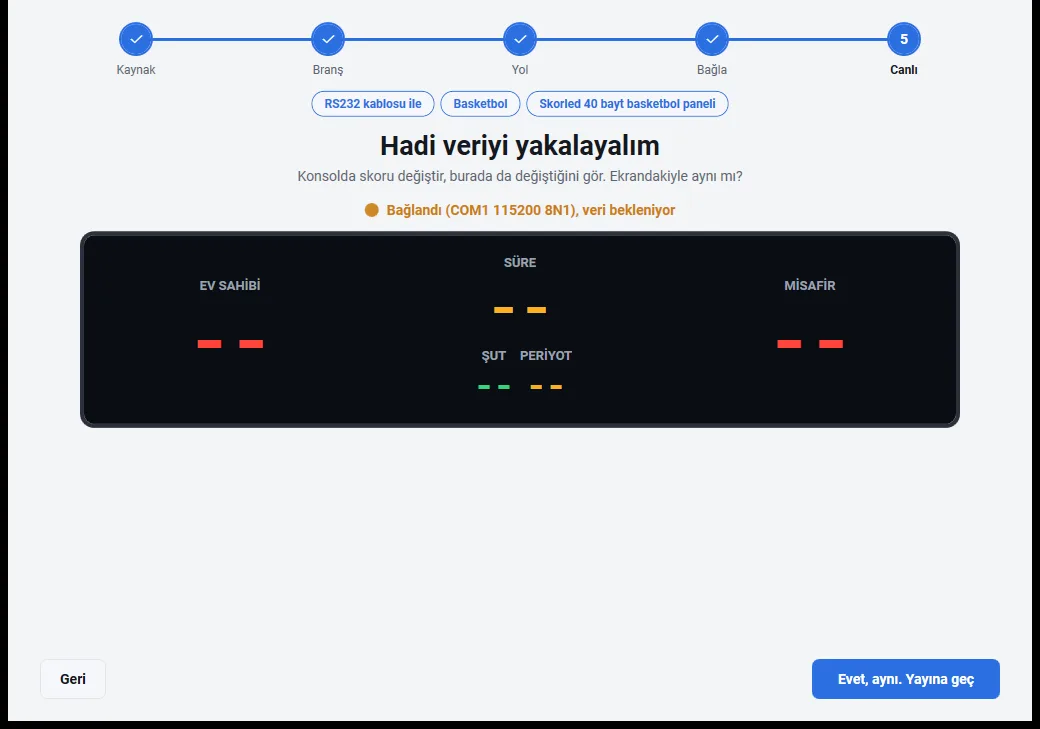
See it with your own eyes before going on air
At the last step of the wizard, the score, clock, shot clock and period from the console show live on a big scoreboard. Change the score on the console and watch it change here; if it is right, go on air with one click.
Console not with you? Try the setup and your score graphic before the game with the built-in simulator.
- Connection status always on screen
- Built-in simulator for testing
- Warns you if the data stops
Console reading
Console reading: common questions
The most common questions about setup, connecting, the trial and buying. Can’t find your answer? Write to us.
Which cable should I buy?
If your console has an RS232 (9-pin) output, an RS232 cable; if your computer has no such port, a USB-to-RS232 adapter. Not sure? Send us a photo of the back of the console.
Do I have to change anything on the console?
No. The program listens to the data the console already sends out; it does not touch the console’s settings.
How is it different from camera reading?
Console reading is the fastest and error-free way, with no light or angle issues. Camera reading (OCR) is for places where you cannot run a cable.
Can I send to vMix and the internet at the same time?
Yes. The data from the console goes to vMix, OBS, web overlays and Firebase at the same time.
Connect your console today
Download the program and introduce your console with the wizard; every feature free for 10 days.